Introduction
In modern CNC machining, the machine tool does the cutting, but the operator makes the critical decisions. The interaction between the operator and the machine happens entirely through the HMI (Human-Machine Interface) control panel.
However, many factories overlook a critical factor: Ergonomics. If your CNC control panel is too high, too low, or out of reach, the operator will suffer from neck strain, shoulder fatigue, and eye strain. This not only affects their health but also leads to slower response times and costly production errors.
Here is how to position your HMI screen correctly for maximum efficiency and safety.
1. The "Neutral Posture" Principle
Operators should be able to view and interact with the HMI without bending their neck or stretching their arms.
The Rule: The center of the screen should be positioned 15° to 20° below the operator's horizontal line of sight. This allows the eyes to relax and reduces the risk of dry eyes and neck stiffness.
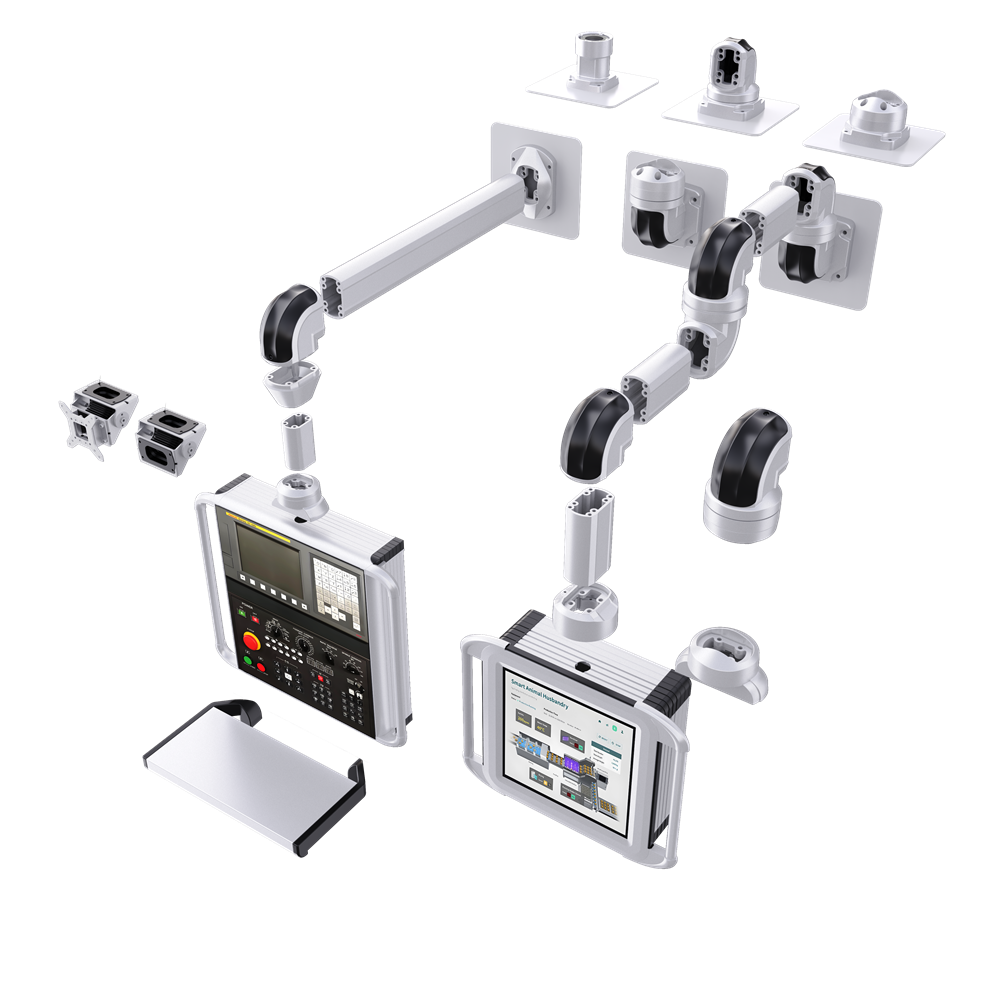
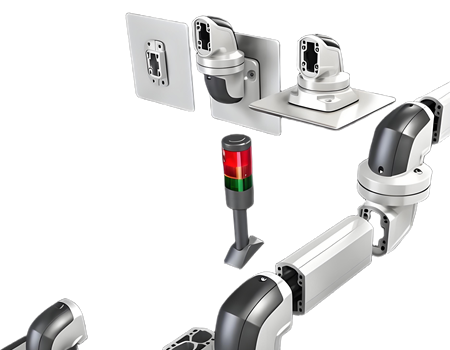
The Fix: A modular support arm system with multiple joints (like our 90° angle coupling and intermediate hinge) is essential. It allows the screen to be tilted and angled precisely toward the operator.
2. Standing vs. Seated Operations
CNC machines are often operated in both standing and seated positions. A fixed bracket cannot accommodate this.
For Standing Operators: The control box should be at elbow height, allowing the arms to rest comfortably on the panel while typing.
For Seated Operators: The panel needs to be lower, allowing clearance for the knees and easy access to the screen.
The Fix: You need an adjustable support arm system. JDF-FA’s systems allow for easy, tool-free height adjustments. Our lightweight series (like the 5065) is perfect for small HMI boxes, while the medium-duty 6095 can handle larger, multi-screen panels.
3. Reach and Viewing Distance
The screen should be positioned within the "Primary Visual Zone."
Too Close: Causes eye strain and is dangerous in case of sudden machine movements.
Too Far: The operator has to lean forward, leading to back pain.
The Fix: Use our extendable aluminum support arm profiles. With our system, you can select arm lengths from 250mm to 2000mm. The key is to ensure the operator can easily pull the screen toward them and push it away when not in use, without hitting other machine parts.
4. Keep the Workspace Clean (Cable Management)
A cluttered workspace is a safety hazard. Loose cables hanging from an HMI screen can easily catch on tooling or break, causing machine downtime.
The Fix: Always choose an HMI enclosure and support arm with integrated cable management. JDF-FA’s hollow aluminum profiles and protective edge strips ensure that all power and data cables are safely hidden and protected from mechanical damage.
5. Matching the Support Arm to the Panel Weight
Ignoring the load capacity is a common mistake. As the arm extends, its ability to hold weight decreases (the leverage effect).
Light Load (Up to 500N): Suitable for small touch screens and push-button panels (e.g., JDF 5065 Series).
Medium Load (Up to 1,000N): Suitable for standard CNC control boxes (e.g., JDF 6095 Series).
Heavy Load (Up to 1,500N): Required for large multi-screen panels or heavy electrical enclosures (e.g., JDF 75110 Series).
Conclusion
Upgrading your CNC workstation is an investment in your operators. By using a high-quality, adjustable support arm system, you can instantly improve ergonomics, reduce fatigue, and boost overall production efficiency.
👉 [Contact JDF-FA Engineering Team] today for 3D CAD drawings and expert advice on selecting the perfect support arm system for your CNC machines.